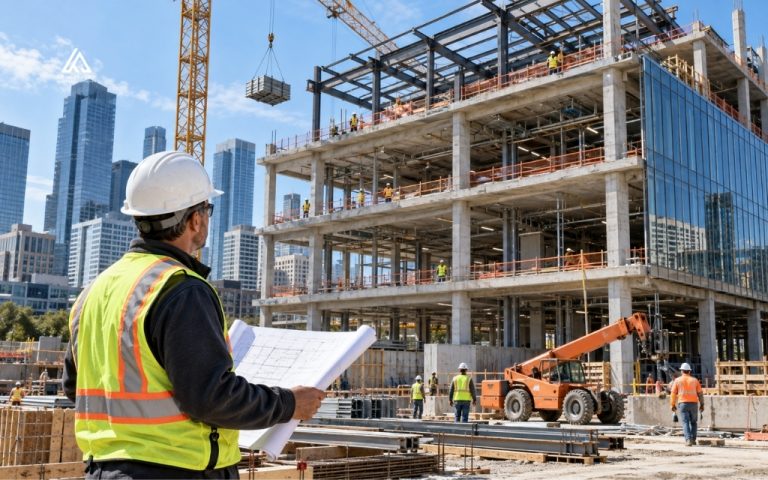

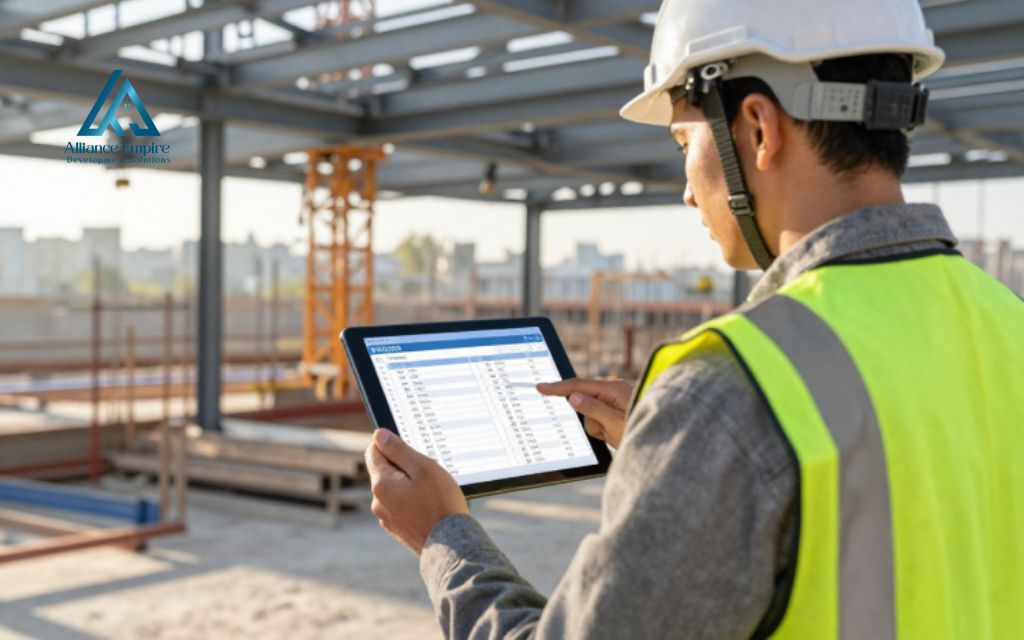
Missed deadlines, untracked change orders, outdated drawings reaching the field, and poor communication between office and jobsite all share one root cause: disconnected workflows. For contractors managing multiple projects, that disconnection translates directly into lost revenue, rework, and damaged client relationships. The right construction management software addresses each of these pain points by centralizing project data, standardizing workflows, and keeping every stakeholder aligned from preconstruction through closeout.
This guide covers what construction management software is, the core features that matter, and a detailed comparison of 17 leading platforms. Whether you run a small remodeling company or a large commercial general contracting firm, you will find a clear path to choosing the right software for your construction company.
What is construction management software?
Construction management software is a specialized digital platform that centralizes the tools, data, and communication channels a construction team uses to plan, execute, and close out a project. Unlike general project management tools such as Asana or Trello, construction computer programs are built around workflows that are unique to the industry: requests for information (RFIs), submittals, punch lists, daily field reports, drawing version control, and job costing.
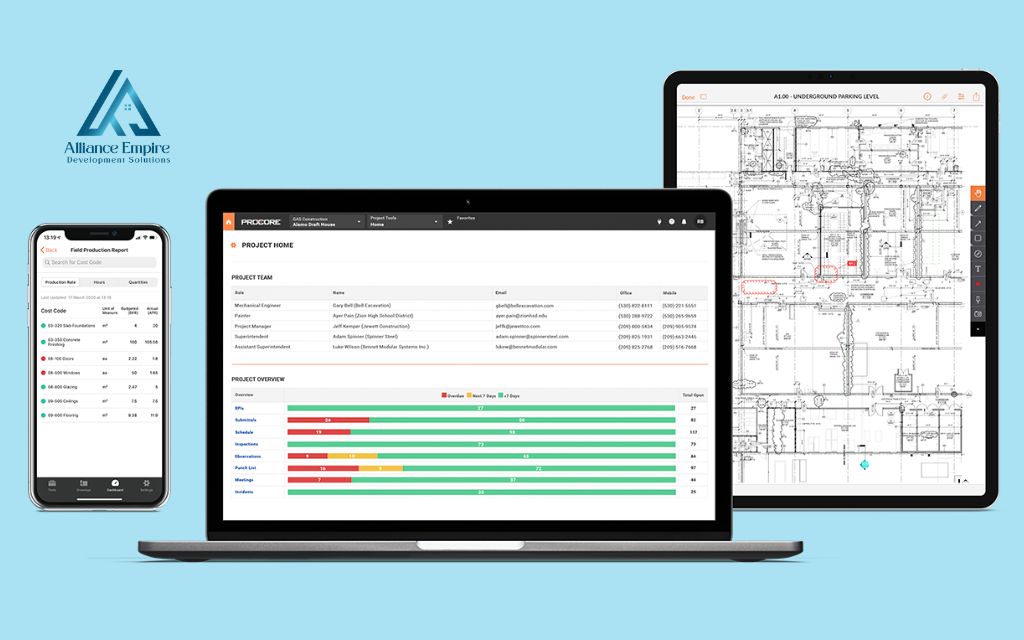
A modern construction technology platform connects office teams and field crews through a shared environment accessible from desktop and mobile devices. Project managers can approve submittals from the office while a superintendent logs a daily report from the jobsite using the same system. All data lives in one place, which reduces miscommunication, eliminates duplicate data entry, and gives every stakeholder a consistent view of project status.
The construction industry serves a wide range of professional roles, and the right platform serves all of them:
- General contractors: Managing subcontractors, documents, budgets, and owner reporting across multiple active projects
- Subcontractors and specialty trades: (MEP, roofing, concrete) tracking field productivity, change orders, and daily logs
- Residential home builders and remodelers: Managing client communication, schedules, and budgets
- Commercial developers and construction managers: Overseeing owner-side reporting and cost control
- Small contractors: Transitioning from spreadsheets to a structured digital workflow
- Enterprise firms: Running project portfolios with ERP integration and advanced analytics
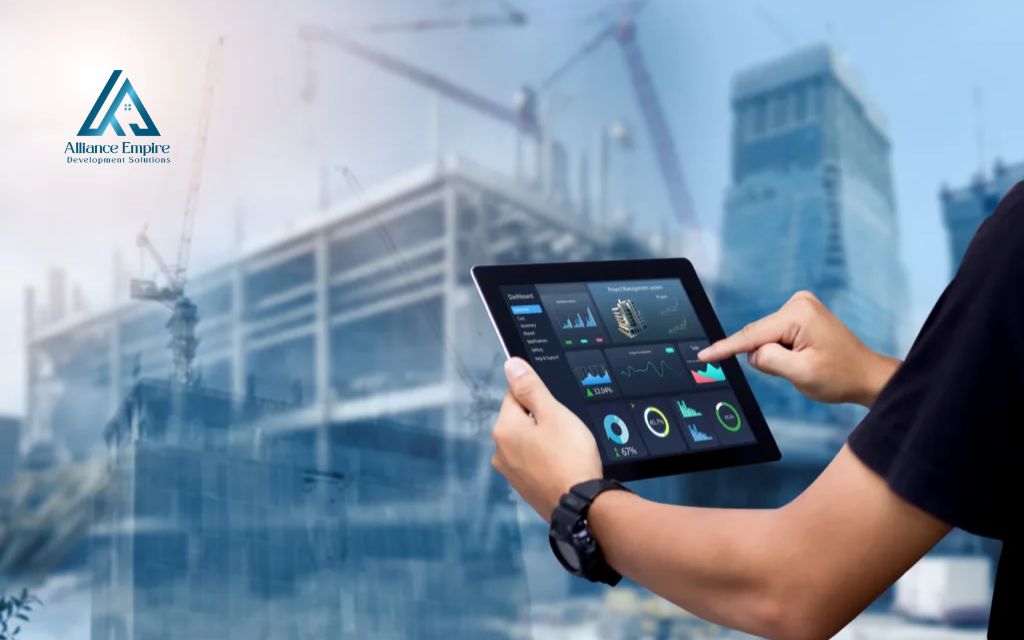
Core features to look for in construction software
Not every construction management computer program offers the same depth across all feature categories. The following features appear consistently across the top-rated platforms and represent the baseline for any serious purchase decision:
- Project scheduling and Gantt charts: Visualize task sequences, dependencies, and milestones; track critical path and identify delays before they compound across trades or phases
- Document management, RFIs, and submittals: Store, version-control, and distribute plans and specifications so field crews always work from the latest approved set; manage formal information requests and approval workflows with full audit trails
- Change orders, daily reports, and field logs: Capture scope changes, get approvals, and link cost impacts to the live budget in real time; standardized mobile templates let field crews complete reports on-site without after-hours administrative work
- Punch lists, inspections, and quality control: Assign deficiencies, track completion status, and attach photos for quality documentation through every phase from active construction through closeout
- Budgeting, job costing, and financial reporting: Compare contracted amounts to actual costs, track committed costs, forecast final project profitability, and generate progress snapshots that support informed decision-making at every level
- Mobile access and accounting integrations: Critical for jobsite use where connectivity can be intermittent; two-way syncs with QuickBooks, Sage, Xero, or ERP systems eliminate manual data re-entry and keep project and financial data in agreement
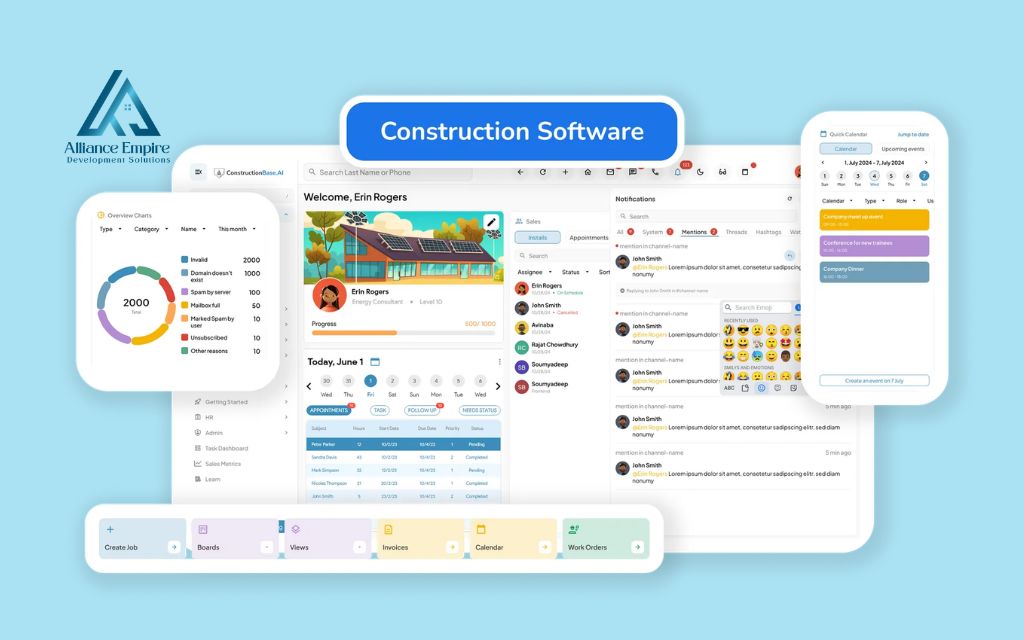
Top 17 construction management software platforms
The platforms below represent the most widely adopted and highly regarded options across the U.S. construction industry in 2026. Each review includes an overview, key features, pricing, best-fit use case, and a balanced pros and cons summary. Pricing is based on publicly available information as of mid-2026 and may vary based on company size, module selection, and contract terms. Always verify current pricing directly with each vendor before purchasing.
1. Procore
Procore is one of the most comprehensive end-to-end construction management platforms available, covering preconstruction, project execution, and financial management in a single environment. It is widely adopted by mid-to-large commercial general contractors that need strong document control, cost tracking, and owner reporting across complex, multi-phase projects. Its broad feature set comes with a learning curve, but its depth of capability is difficult to match at scale.
Best for: Mid-to-large commercial general contractors managing multi-project portfolios
Key features:
- Document management with version control and transmittals
- RFIs, submittals, and change order workflows
- Budget management and job costing
- Scheduling and resource management
- Reporting, analytics, and owner dashboards
Pricing: Custom pricing based on annual construction volume; no free plan
| Pros | Cons |
| Comprehensive feature coverage | Steep learning curve for new users |
| Strong financial management tools | Higher cost than most alternatives |
| Wide integration ecosystem | Can be overly complex for small teams |
| Scalable for large organizations |
Website: Procore
2. Autodesk Construction Cloud (Build)
Autodesk Construction Cloud, anchored by the Build product, connects design and field execution workflows in a unified environment. It is purpose-built for teams that work with BIM models and need a seamless path from design coordination through construction execution. Its strength lies in tying 3D model data to field tasks, issues, and documents, though its full value is best realized by teams already working within the Autodesk ecosystem.
Best for: Teams managing BIM workflows and design-to-field coordination
Key features:
- BIM and 3D model viewing on mobile and desktop
- Document management with controlled publishing
- RFIs, submittals, and issue tracking
- Field data capture and quality checklists
- Advanced analytics and project insights
Pricing: Module-based pricing; no free plan; limited trial options available
| Pros | Cons |
| Best-in-class BIM integration | Full value requires broader Autodesk ecosystem adoption |
| Strong design-to-field data continuity | Complex to deploy and configure |
| Centralized data environment | Higher overall platform cost |
| Advanced analytics capabilities |
Website: Autodesk Construction Cloud (Build)
3. Buildertrend
Buildertrend is a construction management platform designed for residential builders, remodelers, and home improvement contractors. It combines project scheduling, budgeting, and customer communication tools in a client-friendly interface. Its portal allows homeowners to view project progress, approve selections, and sign documents online, which reduces back-and-forth communication significantly. Pricing has increased substantially in recent years and is now based on annual construction volume rather than a published flat rate.
Best for: Residential home builders, remodelers, and custom construction firms
Key features:
- Project scheduling and milestone tracking
- Budgeting, cost tracking, and financial reporting
- Client-facing communication portal
- Change order and document management
- Lead management and CRM tools
Pricing: Custom pricing based on construction volume; estimated $399–$1,099/month based on third-party reports; demo available
| Pros | Cons |
| Strong client communication tools | Pricing has increased significantly in recent years |
| User-friendly scheduling and budgeting | No self-service free trial; demo only |
| Built-in CRM for lead tracking | Less suited for large commercial projects |
| Unlimited users on all plans |
Website: Buildertrend
4. Fieldwire by Hilti
Fieldwire is a jobsite-focused construction management platform that connects field crews and project managers through task tracking, plan management, and real-time communication. Acquired by Hilti, it is designed for daily use at the jobsite level, with an interface that field teams adopt quickly without extensive training. It excels in task accountability and plan distribution, though it offers less depth in financial management and preconstruction workflows.
Best for: Jobsite task management and field-to-office coordination
Key features:
- Plan viewing, markups, and version control
- Task management and field accountability
- Inspections, punch lists, and checklists
- Custom forms and daily reports
- Real-time messaging linked to plans and tasks
Pricing: Free plan available (limited); paid plans from $44/user/month
| Pros | Cons |
| Fast onboarding for field crews | Limited preconstruction and financial tools |
| Reliable offline access | Less suited for large commercial document control |
| Strong task tracking and accountability | Advanced scheduling not included |
| Free plan available for small teams |
Website: Fieldwire by Hilti
5. Contractor Foreman
Contractor Foreman is an all-in-one construction management platform positioned as an affordable option for small to mid-sized contractors. It covers a notably broad feature set for its price point, including project management, time tracking, estimates, invoicing, and safety documentation. The interface can feel dense given the volume of tools available, but for contractors that need a single system covering most of their workflow without enterprise-level costs, it is a strong candidate.
Best for: Small to mid-sized contractors seeking an affordable all-in-one system
Key features:
- Project and task management with Gantt scheduling
- Time tracking and payroll export
- Estimates, invoicing, and payment processing
- Safety and compliance documentation
- Document management and client portal
Pricing: From $49/month (flat rate, unlimited users); 30-day free trial available
| Pros | Cons |
| Wide feature set at a competitive price | Interface can feel dense and complex |
| Flat-rate pricing for unlimited users | Steeper learning curve for full feature adoption |
| Includes safety and compliance tools | Reporting tools less advanced than enterprise platforms |
| 30-day free trial available |
Website: Contractor Foreman
6. JobTread
JobTread is a construction management platform designed for growing residential general contractors and remodelers that need a clear path from estimating through project delivery and client billing. Its interface is clean and intuitive, with strong estimating tools and a client-facing portal that supports proposal approvals and payment collection. It is well-suited for contractors that currently manage jobs in spreadsheets and need a purpose-built system that is not overwhelming to implement.
Best for: Growing residential general contractors moving off spreadsheets
Key features:
- Estimating and proposal generation
- Budget tracking and job costing
- Client portal for approvals and payments
- Scheduling and task management
- Document storage and sharing
Pricing: From $159/month annual ($199/month monthly) for first user, plus per-user fees; 30-day money-back guarantee
| Pros | Cons |
| Clean, intuitive interface | No free trial period |
| Strong estimating and proposal tools | Less suited for large commercial projects |
| Client portal with payment collection | Smaller integration library than enterprise platforms |
| Highly rated customer support |
Website: JobTread
7. Houzz Pro
Houzz Pro is a business management platform designed for residential design and construction professionals, including remodelers, interior designers, architects, and design-build firms. Its Pro plan includes estimates, invoicing, 3D floor planning, CRM, and online payments. The Custom plan adds project scheduling, daily logs, budgets, change orders, and financial reports. It also connects firms to homeowners actively searching for contractors on the Houzz marketplace.
Best for: Design-build firms, remodelers, and residential contractors that prioritize client experience and lead generation
Key features:
- Estimates, proposals, and online payment collection
- 3D floor planner and mood boards
- Project scheduling and daily logs (Custom plan and above)
- Change orders, budgets, and financial reports (Custom plan and above)
- Houzz marketplace profile and lead generation tools
Pricing: Pro plan at $249/month (1 user); Custom and Enterprise plans at custom pricing; 30-day free trial available
| Pros | Cons |
| Doubles as a client acquisition channel via Houzz marketplace | Full project management features require Custom plan or higher |
| Clean client-facing interface | Less suited for commercial or large residential projects |
| Free plan available for basic tools | Additional users cost $60/user/month on Pro plan |
| QuickBooks Online integration |
Website: Houzz Pro
8. Knowify
Knowify is a construction management and job costing platform built specifically for subcontractors and specialty trade contractors. It prioritizes financial clarity, with tools for contract management, job costing, time tracking, and QuickBooks integration. Its accounting integration is among the tightest available for subcontractors, making it a strong choice for trade contractors that need accurate job cost reporting without the complexity of an enterprise platform.
Best for: Subcontractors and specialty trade contractors needing job costing and QuickBooks integration
Key features:
- Contract management and billing
- Job costing and budget tracking
- Time tracking and payroll export
- Two-way QuickBooks integration
- Document management and field logging
Pricing: From approximately $100/month; free trial available
| Pros | Cons |
| Purpose-built for subcontractors | Less suited for general contractors |
| Tight QuickBooks integration | Limited document control compared to full-suite platforms |
| Strong job costing tools | Smaller overall feature set than enterprise options |
| Clear contract and billing workflows |
Website: Knowify
9. Raken
Raken is a field reporting and project visibility platform that simplifies daily reporting, time tracking, and production logging for construction jobsites. Its mobile-first design is optimized for field crews that need to complete reports quickly without navigating a complex interface. It integrates with larger platforms such as Procore and Autodesk, positioning itself as a reporting layer that enhances visibility within an existing tech stack rather than replacing a full project management suite.
Best for: Field teams and subcontractors that need streamlined daily reporting and site visibility
Key features:
- Mobile daily reports with photo and video capture
- Time tracking and crew management
- Production quantity logging
- Safety checklists and toolbox talks
- Integration with Procore, Autodesk, and others
Pricing: From $15/user/month (Basic plan; $12/user/month billed annually); free trial available
| Pros | Cons |
| Extremely easy daily report workflow | Not a full project management suite |
| Strong mobile experience | Limited financial tools |
| Works well alongside larger platforms | Best used as a complement to, not replacement for, a core platform |
| Safety documentation built in |
Website: Raken
10. PlanGrid (Autodesk Build)
PlanGrid was one of the earliest and most widely adopted field-focused drawing management tools in construction before being acquired by Autodesk and folded into the Autodesk Build product. Its core strength was putting up-to-date plans in the hands of field crews quickly and reliably. That capability now lives within Autodesk Build, which adds RFIs, submittals, and cost management. Teams that only need plan distribution and markup tools may find Autodesk Build broader than required.
Best for: Field teams managing drawings, markups, and on-site plan access
Key features:
- Sheet viewing and version control
- Markups and annotations on plans
- Issue tracking linked to plan locations
- Photo documentation
- Offline access with automatic sync
Pricing: Now included within Autodesk Build; standalone pricing discontinued
| Pros | Cons |
| Trusted drawing management pedigree | No longer available as a standalone product |
| Fast plan access for field crews | Requires Autodesk Build subscription for access |
| Solid offline performance | Transition from original PlanGrid interface may frustrate legacy users |
| Now part of a broader platform |
Website: PlanGrid (Autodesk Build)
11. Bluebeam Revu
Bluebeam Revu is a PDF-based document workflow tool used extensively by architects, engineers, and contractors for plan review, markups, takeoffs, and real-time collaboration. Its Studio feature enables multiple users to mark up the same document simultaneously, making it a popular choice during design coordination and preconstruction phases. It is not a full project management platform and does not cover scheduling, field reporting, or financial management, but as a document collaboration tool it remains an industry standard.
Best for: Design and preconstruction teams that need precise plan markup and document collaboration
Key features:
- PDF creation, editing, and markup tools
- Real-time multi-user collaboration via Studio
- Measurement and quantity takeoff tools
- Document organization and hyperlinks
- Integration with leading project management platforms
Pricing: From $260/user/year (Basics plan); Core at $330/user/year; Complete at $440/user/year; free trial available
| Pros | Cons |
| Industry-standard PDF markup tool | Not a full construction management platform |
| Precise measurement and takeoff capabilities | No scheduling, budgeting, or field reporting |
| Real-time collaboration via Studio | Desktop-first; native iPad support ended in 2025 |
| Wide adoption means easy file sharing across firms |
Website: Bluebeam Revu
12. Trimble Construction One (Viewpoint)
Trimble Construction One is an integrated construction management suite that brings together project management, financials, human resources, and operations under the Trimble ecosystem, formerly associated with Viewpoint. It is designed for larger contracting organizations that need a unified platform connecting field data, project data, and accounting without relying on multiple disconnected tools. Its depth of integration is a key differentiator, though implementation is complex and typically requires dedicated onboarding support.
Best for: Large contractors and enterprise firms requiring integrated ERP and project management
Key features:
- Project management and scheduling
- Financial management and ERP integration
- HR and workforce management
- Document control and field collaboration
- Analytics and business intelligence reporting
Pricing: Custom pricing; no free plan; implementation support required
| Pros | Cons |
| Unified platform for project and financials | Complex implementation process |
| Strong workforce and HR management tools | Higher cost and longer time to value |
| Scalable for large organizations | Less intuitive for field-level daily use |
| Deep Trimble ecosystem integration |
Website: Trimble Construction One (Viewpoint)
13. Sage 100 Contractor / Sage Intacct Construction
Sage offers two construction-focused accounting and project management platforms: Sage 100 Contractor for small to mid-sized contractors, and Sage Intacct Construction for larger organizations that need multi-entity financial management and advanced reporting. Both platforms anchor their value in accounting accuracy rather than field execution, making them strongest for contractors that prioritize job costing, payroll, compliance, and financial visibility as their primary software need.
Best for: Contractors that prioritize accounting depth, job costing, and payroll compliance
Key features:
- Job costing and project accounting
- Payroll processing and compliance
- Accounts payable and receivable
- Basic project management and scheduling
- Reporting and financial dashboards
Pricing: Sage 100 Contractor: From approximately $150/month; Sage Intacct Construction: Custom pricing
| Pros | Cons |
| Best-in-class construction accounting | Field management tools are limited vs jobsite-first platforms |
| Strong job costing and payroll tools | Less intuitive interface than newer SaaS competitors |
| Compliance-ready reporting | May require additional tools for full project management coverage |
| Established brand with long construction industry presence |
Website: Sage 100 Contractor / Sage Intacct Construction
14. Aconex (Oracle)
Aconex, part of Oracle Construction and Engineering, is an enterprise-grade project management platform used predominantly on large infrastructure, commercial, and international construction projects. Its defining strength is rigorous document control with complete audit trails, making it the preferred choice for projects with strict governance requirements, multiple owners, or complex contractual documentation obligations. It is not designed for small teams and carries significant implementation complexity.
Best for: Large infrastructure and commercial projects requiring strict document control and audit trails
Key features:
- Controlled document management with audit trails
- RFIs, submittals, and workflow management
- Contract and correspondence tracking
- BIM collaboration tools
- Multi-party project access and permissions
Pricing: Custom pricing; no free plan; enterprise contracts only
| Pros | Cons |
| Unmatched document control and audit trail capability | Not suited for small or mid-sized contractors |
| Built for complex multi-party projects | Complex to implement and administer |
| Globally recognized on large infrastructure projects | High cost relative to most alternatives |
| Strong contractual documentation management | Requires dedicated training for full adoption |
Website: Aconex (Oracle)
15. BuildOps
BuildOps is a construction and field service management platform designed specifically for commercial specialty contractors, particularly in the mechanical, electrical, and plumbing (MEP) trades. It combines project management with service dispatch, maintenance scheduling, and customer management in a single platform, which makes it particularly useful for contractors that operate both construction projects and ongoing service contracts. It is not designed for general contractors or residential work.
Best for: Commercial MEP contractors managing both construction projects and service operations
Key features:
- Service dispatch and technician scheduling
- Project management and job tracking
- Asset and equipment maintenance management
- Invoicing and payment collection
- Customer and contract management
Pricing: Custom pricing; demo available; no free plan
| Pros | Cons |
| Purpose-built for commercial specialty contractors | Not suited for general contractors |
| HadjnizxCombines construction and service workflows | Custom pricing limits transparency before sales call |
| Strong dispatch and scheduling tools | Limited document control compared to GC-focused platforms |
| Supports recurring maintenance contracts |
Website: BuildOps
16. PlanRadar
PlanRadar is a construction and real estate project management platform focused on documentation, task management, and on-site quality control. Teams use it to track issues, assign tasks, document defects, and generate reports directly from digital drawings, all from a mobile device. Its interface is designed for ease of adoption in the field, and it supports both construction and facilities management use cases. Financial management is not a core feature of the platform.
Best for: Construction teams focused on on-site documentation, issue tracking, and quality inspections
Key features:
- Task and defect tracking on digital plans
- Photo, video, and voice note documentation
- Inspection checklists and forms
- Automated reporting and PDF exports
- Mobile access with offline functionality
Pricing: From $49/user/month (Basic plan); Starter at $159/user/month; Pro at $239/user/month; free trial available
| Pros | Cons |
| Easy to deploy and use in the field | Limited financial management features |
| Strong documentation and evidence capture | Fewer integrations than leading enterprise platforms |
| Works across construction and FM use cases | Per-user pricing can escalate quickly for larger teams |
| Free trial available |
Website: PlanRadar
17. Dalux
Dalux is a construction management platform with a strong focus on BIM-based field collaboration, quality assurance, and handover documentation. Its free tier (Dalux Field) makes it accessible for teams testing BIM workflows without an upfront software investment. Users can view 3D models and 2D drawings on-site, link issues directly to model elements, and generate inspection and handover documentation from the same environment. Its BIM capabilities are a genuine differentiator at this price point.
Best for: Construction and FM teams working with BIM models that need affordable field collaboration tools
Key features:
- BIM model viewing on mobile and desktop
- Issue and task management linked to model elements
- Inspection checklists and quality forms
- Handover and as-built documentation
- Free entry-level plan available
Pricing: Free (Dalux Field); paid modules for extended features; contact vendor for pricing
| Pros | Cons |
| Free tier is genuinely capable for BIM viewing | Advanced features require paid modules |
| Strong quality control and inspection tools | Less suited for teams without BIM workflows |
| Links issues directly to BIM model elements | Smaller market presence than enterprise competitors |
| Useful across construction and facilities management |
Website: Dalux
How to choose the right construction management software
Choosing a construction management software solution is an operational decision about how your team works, what causes the most friction today, and what a realistic implementation looks like given your current capacity. The following considerations should guide your evaluation:
- Match the platform to your business type and project size: A small remodeling firm running three simultaneous jobs has different needs than a commercial GC managing a $50M portfolio. Avoid enterprise platforms if you do not need enterprise complexity.
- Identify your primary pain point before evaluating features: If your biggest problem is losing drawings in the field, prioritize document management. If it is untracked change orders, prioritize cost and change order tools. Build your evaluation around the problem you most need to solve.
- Verify integrations with your existing accounting and estimating tools: A platform that does not connect to your accounting system, whether QuickBooks, Sage, or another, will create more data entry work rather than less.
- Test mobile and offline performance before committing: Field teams lose confidence quickly in platforms that are slow, crash on mobile, or lose data when connectivity drops. This is non-negotiable for any tool your field crews will use daily.
- Compare pricing models carefully: Some platforms charge per user, others per project, and others at a flat monthly rate. The cheapest per-user price can become the most expensive total cost once all your team members are licensed.
- Run a structured free trial and involve your field team: Office-side adoption is easier to achieve than field adoption. Include superintendents, foremen, and subcontractors in your pilot program. Their feedback will reveal whether the platform works in real conditions.
- Allocate time for onboarding and workflow migration: Even the most intuitive platforms require a transition period. Build realistic timelines and assign internal champions who will drive adoption across the organization.
Common mistakes when adopting construction software
Even well-researched construction management software decisions can fail at the implementation stage. The most common mistakes have less to do with the platform selected and more to do with how the rollout is managed:
- Choosing the most feature-rich platform rather than the right-fit one: Many contractors assume the most comprehensive construction management software is the best choice, but a platform with hundreds of features that your team uses at 20% capacity provides less value than a focused tool used fully. Over-featured platforms often lead to poor adoption.
- Skipping the free trial or pilot phase: Demos show a platform at its best. A real pilot with live project data and your actual team members reveals friction points that a sales presentation will not.
- Underestimating training time: Most platforms require weeks, not days, for teams to reach proficiency. Rushing the training phase is one of the most common reasons software investments fail to deliver expected returns.
- Failing to involve field crews in the selection process: If the people using the platform daily in the field were not consulted, expect resistance. Field teams that feel the tool was selected without their input rarely adopt it willingly.
- Not budgeting for implementation and data migration: Moving historical project data, setting up templates, configuring integrations, and training staff all carry time and cost. These are not optional activities and should be part of the total investment calculation from the start.
Trends shaping construction technology platforms in 2026
The construction technology platform landscape continues to evolve rapidly, driven by increasing project complexity, labor shortages, and the demand for better data visibility at every level of project delivery. The following trends are shaping how leading construction management software vendors develop their products and how contractors evaluate new tools.
- Cloud-first deployment as the standard: On-premise construction software is now a legacy exception rather than the norm. Cloud-based platforms offer automatic updates, real-time data access across locations, and reduced IT overhead.
- Mobile and offline-first field tools: Field crews work in environments where connectivity is inconsistent. Platforms that function fully offline and sync automatically when connectivity returns have become a baseline expectation, not a premium feature.
- AI-assisted workflows and automation: Leading platforms are introducing AI-powered capabilities including automatic daily report generation from voice input, predictive risk identification based on project data patterns, and intelligent photo tagging for quality documentation.
- Real-time job cost and budget visibility: Contractors increasingly expect live cost dashboards that show committed costs, forecasted final costs, and budget variance in real time, replacing end-of-month manual reconciliation with continuous financial monitoring.
- Tighter ERP and accounting integrations: The expectation that project management data and financial data live in separate systems is fading. Platforms that offer bidirectional accounting integrations or built-in ERP functionality are gaining preference over point solutions.
- BIM and 3D model access in the field: As BIM adoption accelerates across commercial construction, the ability to view and interact with 3D models on a tablet or mobile device at the jobsite is becoming a standard capability rather than a differentiating one.
Conclusion
The right construction management software gives teams the visibility, accountability, and communication structure to manage project complexity more effectively. Start by identifying your most pressing pain point, match it to the platform strengths outlined above, and commit to a structured pilot before making a full investment.
For Denver-area property owners and commercial building managers looking for a roofing contractor that applies the same commitment to technology and process transparency, Alliance EDS brings 15+ years of field experience and modern project documentation practices to every residential and commercial roofing project. Contact us at (720) 484-8181 to get your free quote today.
Frequently asked questions (FAQs)
What is the most popular construction management software?
Procore is the most widely recognized name in commercial construction management software, particularly among mid-to-large general contractors. For residential construction, Buildertrend holds a strong market position. Fieldwire by Hilti is widely adopted for jobsite-level task management and plan distribution.
How much does construction management software cost?
Pricing varies significantly by platform and business size. Entry-level platforms for small contractors start from around $15 to $99 per month on flat-rate or per-user plans. Mid-range platforms typically run from $100 to $500 per month. Enterprise platforms such as Procore, Autodesk Construction Cloud, and Trimble Construction One use custom pricing based on annual construction volume or user count.
Is there free construction management software?
Several platforms offer free tiers or free trials. Fieldwire provides a free plan for small teams. Dalux offers a genuinely functional free tier for BIM viewing and field collaboration. Houzz Pro has a basic free plan for entry-level tools. Most other platforms offer time-limited free trials ranging from 14 to 30 days rather than permanent free plans.
What is the difference between construction management software and general project management software?
General project management software such as Asana, Monday.com, or Trello is built for task tracking and team collaboration across industries. Construction management software adds workflows specific to the built environment: RFIs, submittals, drawing version control, punch lists, daily field reports, job costing, and subcontractor coordination. Using a general tool for construction work often results in significant customization effort with incomplete results.
Does construction software integrate with QuickBooks?
Many construction management platforms integrate with QuickBooks Online and QuickBooks Desktop, though the depth of integration varies. Knowify, Contractor Foreman, Buildertrend, JobTread, and Houzz Pro all offer QuickBooks integration as a core feature. Procore and Autodesk Construction Cloud support QuickBooks through their integration marketplaces. Always verify the specific version of QuickBooks supported and whether the sync is bidirectional before purchasing.