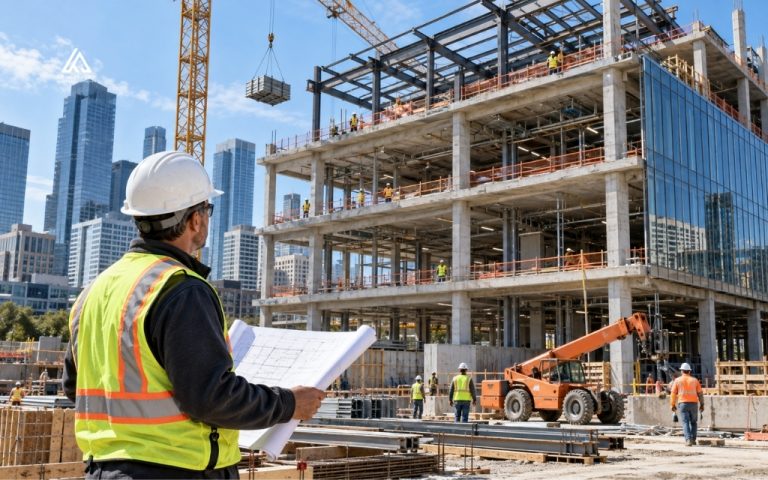


Estimating is one of the highest stakes, most time consuming parts of running a construction business. A missed line item or an outdated unit cost can turn a winning bid into a losing job, and the pressure to turn around accurate numbers only grows as bid volume increases. AI estimating software is built to close that gap.
By automating quantity takeoffs and applying machine learning to historical cost data, AI estimating software helps contractors and preconstruction teams cut estimating time while improving accuracy. This guide covers what AI estimating software does, profiles 12 leading platforms, and outlines where these tools still need human oversight.
What is AI estimating software
AI estimating software refers to construction technology that applies computer vision, machine learning, and natural language processing to automate parts of the cost estimating process. Instead of manually tracing plan sets and typing quantities into a spreadsheet, an AI construction estimator reads digital drawings, identifies building components, and produces measured quantities in a fraction of the time a manual takeoff requires.
For teams that follow construction estimating software news, most vendors have moved beyond simple takeoff automation into fuller AI cost estimation, pairing measured quantities with pricing, risk flags, and reporting in a single workflow.
How AI estimating software works
In practice, AI tools for construction estimating focus on a few core functions, and platforms generally take one of two approaches to delivering them.
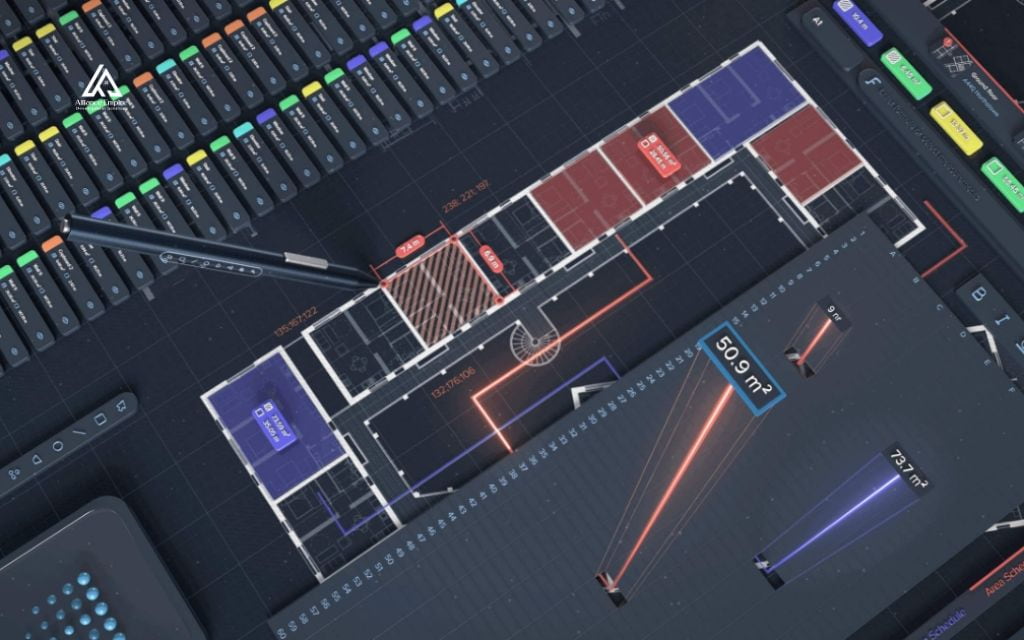
- Automated quantity takeoff: Computer vision models scan PDF, DWG, or BIM files and detect and classify building components such as walls, doors, windows, rooms, and MEP elements, generating measurements and counts without manual tracing.
- Predictive cost modeling: Machine learning applies historical bid data and current material pricing to generate unit costs and full project estimates, and can flag cost outliers against past projects.
- Scope of work parsing: Natural language processing reads scope documents and specifications to identify line items, compare them against a project’s plans, and surface items that may be missing from a bid.
- Change detection: Several platforms compare drawing revisions and addenda automatically, flagging what changed between versions so estimators do not have to redline plan sets by hand.
- Pure computer vision platforms: Tools such as Togal.AI and Kreo let estimators upload plans and receive AI-generated quantities directly inside a self-serve platform, with the estimator handling pricing and final review.
- Hybrid AI-plus-human platforms: Services such as Beam AI combine automated detection with a human quality assurance reviewer who checks the output before it is delivered, trading some speed for an added layer of verification.
Independent testing and industry reports on AI construction estimating place automated takeoff accuracy in the 95 to 98 percent range on clean, well-drafted plan sets, with reported reductions in bid preparation time in the range of 40 to 60 percent. Those figures vary by vendor, project complexity, and drawing quality, so they are worth confirming directly with any vendor during a trial rather than treated as guaranteed outcomes.
Top 12 AI estimating software for construction teams
Togal.AI
Togal.AI is an AI estimating software platform built on computer vision that scans uploaded drawings and automatically identifies building components to generate measurements and quantities.
- Best for: Mid-size general contractors and subcontractors running 50 or more estimates a year who need fast, dedicated takeoff speed and accuracy.
- Key AI features: Automated detection and measurement of building components from floor plans, Togal.CHAT for asking natural language questions about uploaded plans, and API connections for exporting quantities into external pricing tools.
- Integrations: ServiceTitan, and API-based connections to tools such as Ediphi for pricing.
- Pros: Independently benchmarked takeoff speed, with third-party testing reporting a full architectural takeoff completed in roughly 12 minutes.
- Cons: No built in pricing engine, so it typically requires pairing with a separate cost estimating tool to finish a bid.
- Pricing: Growth plan starts around $299 per user per month billed annually, with custom pricing for teams of four or more.
Website: Togal.AI
Kreo
Kreo is an AI estimating software platform for architects, engineers, and project managers that pairs computer vision takeoff with detailed analytics and scenario modeling.
- Best for: Teams handling complex projects who want to evaluate multiple design or pricing scenarios before committing to a final estimate.
- Key AI features: Automated component detection from drawings, scenario modeling to compare different project approaches, and customizable templates for building material and component databases.
- Integrations: Contractor Foreman and Microsoft Excel.
- Pros: Strong fit for firms that need detailed, side by side analytics rather than a single quantity output.
- Cons: Steeper learning curve for teams that only need basic takeoff and are not using the analytics features.
- Pricing: From around $35 per user per month billed annually, with a 7 day free trial available.
Website: Kreo
STACK
STACK is a cloud based AI estimating software platform built for contractors, subcontractors, and suppliers, combining takeoff and cost estimation in one place.
- Best for: Teams that want takeoff and cost estimation combined in one cloud platform accessible from anywhere.
- Key AI features: AI Assist auto-detects doors, windows, rooms, and walls from uploaded plans, along with auto counting of symbols and quantity detection.
- Integrations: Procore, QuickBooks, Sage, and Autodesk.
- Pros: Real time collaboration and a digital plan room that keeps project documents organized in one place.
- Cons: Reviewers note it can be more platform than small projects need, with limited offline access.
- Pricing: From around $2,599 per user per year, with a free demo and free trial available.
Website: STACK
ConstructConnect
ConstructConnect is an AI estimating software platform built for large projects and enterprise contractors, with a focus on bid management and project intelligence.
- Best for: Enterprise general contractors managing multiple large, complex projects and bidding relationships at once.
- Key AI features: AI-assisted automatic item counting to reduce takeoff time, plus daily updated project intelligence on active bidding opportunities.
- Integrations: Salesforce.
- Pros: Detailed project analytics and bid management tools built for coordinating multiple stakeholders on large builds.
- Cons: Can be more complex than smaller contractors need, with a longer onboarding curve for new users.
- Pricing: Project Intelligence starts around $129 per month for the Starter plan, with a Professional tier around $199 per month; the full Bid Management suite is quoted separately and typically runs well into four or five figures annually for larger teams.
Website: ConstructConnect
Procore
Procore is an end to end construction management platform whose higher tiers add AI estimating software tools, takeoffs, and AI-driven insights across the project lifecycle.
- Best for: General contractors managing multiple concurrent projects, typically above $10 million in annual construction volume, who want estimating tied to scheduling, budgets, and field data in one system.
- Key AI features: Procore Copilot for conversational, AI-driven answers about project data, and AI-assisted risk analysis that flags potential delays and cost issues across project workflows.
- Integrations: QuickBooks, Sage 300 CRE, Microsoft Project, Primavera P6, Docusign, Bluebeam, and others.
- Pros: Centralizes estimating with the rest of project execution, reducing double entry between preconstruction and the field.
- Cons: Pricing is not published, and the full estimating module is generally cost effective only once a contractor is already running Procore across its project lifecycle.
- Pricing: Custom, based on annual construction volume rather than a flat per-seat fee; the estimating module specifically has been reported at roughly $15,000 to $50,000 or more per year for qualifying contractors.
Website: Procore
ProEst
ProEst, part of Autodesk Construction Cloud, is a cloud based AI estimating software solution that combines CRM, cost estimating, digital takeoffs, and bid day analysis in one platform.
- Best for: Enterprise contractors already working inside the Autodesk ecosystem who want estimating tied directly to BIM and Revit models.
- Key AI features: Automated digital takeoffs, dashboards that track estimate pipelines and forecasts, and a cost and productivity database that updates centralized estimates and reports.
- Integrations: Deep ties to Autodesk Construction Cloud, Revit, and BIM workflows.
- Pros: Unlimited users on a single subscription, plus tight BIM compatibility for design build workflows.
- Cons: Users report a steep learning curve given the breadth of features, and it works best for firms already committed to the Autodesk ecosystem.
- Pricing: Annual subscription with unlimited users, generally starting in the range of $2,400 to $5,000 or more per estimator per year depending on tier.
Website: ProEst
Sage Estimating
Sage Estimating, formerly Sage Timberline Estimating, is a long established AI estimating software and takeoff platform aimed at general contractors, construction management firms, and specialty contractors.
- Best for: Larger commercial general contractors, often running $30 million or more in annual volume, that are already using Sage accounting software.
- Key AI features: AI-assisted takeoff that automatically traces building components by recognizing connecting lines in vector PDFs, along with bid leveling and closing tools.
- Integrations: RSMeans cost data, eTakeoff Bridge, Sage 300 Construction and Real Estate, and Sage 100 Contractor.
- Pros: One of the most established platforms in the category, with a large base of estimators and integration partners for support.
- Cons: Primarily a server based, desktop deployed product rather than a fully cloud native platform, which limits anywhere access compared to newer entrants.
- Pricing: Reported in the range of $5,000 to $8,000 per year for a single user license.
Website: Sage Estimating
Beam AI
Beam AI, at ibeam.ai, is a hybrid AI-plus-human takeoff service, positioned as an ai construction estimator that pairs automation with human review. It is a distinct company from the estimating and project finance platform Beam at trybeam.com, covered separately below, and the two should not be confused.
- Best for: GCs and subcontractors who want to offload the takeoff bottleneck specifically, while keeping their existing pricing, labor, and proposal workflow.
- Key AI features: AI reads and extracts quantities directly from uploaded PDF blueprints, with every takeoff reviewed by a human quality assurance team before delivery as a structured Excel file organized by trade.
- Integrations: Delivered output is designed to plug into whatever estimating software a team already uses, rather than replacing it.
- Pros: Human-reviewed accuracy reported at within about 1 percent of in-house takeoff results, with turnaround typically cited between 24 and 72 hours.
- Cons: Does not generate a finished, priced estimate. It automates takeoff only, so teams still need their own process for pricing, labor, and proposals.
- Pricing: Annual license based pricing that varies by trade.
Website: Beam AI
Beam
Beam, at trybeam.com, is an AI estimating software and construction financial management platform for small to mid-size general contractors and trade contractors, with an AI Assistant built into its estimating tools.
- Best for: Small to midsize GCs and trade contractors who want AI construction estimates to flow directly into budgets, job costing, and invoicing without re-entering data.
- Key AI features: An AI assistant that drafts estimates from a scope of work, site notes, or uploaded plans, learns a contractor’s pricing and style over time, and flags potentially missing line items during review.
- Integrations: Designed as a unified estimating, invoicing, and job costing system, with financing partnerships such as RenoFi for residential projects.
- Pros: Estimates convert directly into budgets and invoices, removing duplicate data entry between preconstruction and financials.
- Cons: As with most AI drafting tools, the assistant needs guidance or historical pricing examples to align its output with a contractor’s actual margins.
- Pricing: Core estimating and project tools are free to use, with the company generating revenue through payment processing and paid tiers for premium modules such as lien waiver management and compliance tracking.
Website: Beam
Handoff
Handoff, also marketed as Handoff AI, is an AI estimating software and job management platform built for residential remodelers, handymen, and fix-and-flip professionals.
- Best for: Residential contractors who want AI construction estimates generated quickly from a site walkthrough, without a full commercial estimating suite.
- Key AI features: AI-generated estimates from project details entered by text or voice, automatic conversion of estimates into client-ready proposals, and AI site walkthrough capture on higher tiers.
- Integrations: QuickBooks, with supplier-specific pricing catalogs available on higher plans.
- Pros: Users report significant time savings on estimating, with some citing cuts of around 75 percent compared to manual quoting.
- Cons: Some users note that estimates can occasionally come back high on simple scopes and need a manual sanity check before being sent to a client.
- Pricing: Entry tier starts at roughly $149 per month, or about $119 per month billed annually, with higher tiers adding QuickBooks sync and expanded catalogs.
Website: Handoff
eTakeoff
eTakeoff is a digital takeoff platform for contractors and estimators, built as a focused ai for construction estimating tool that prioritizes measurement accuracy over full estimate generation.
- Best for: Teams that want a dedicated, precise digital takeoff tool that plugs into an existing estimating system.
- Key AI features: SnapAI automatically detects and traces plan elements, with a library of measurement tools for precise calculations.
- Integrations: Sage Estimating, through the eTakeoff Bridge connector, and Togal.AI.
- Pros: Highly customizable views and reporting for teams with specific takeoff requirements.
- Cons: More basic collaboration features compared to full cloud estimating suites, and can be resource intensive on larger plan sets.
- Pricing: The Advanced subscription tier runs around $795 per year, with a more advanced Premier tier around $1,495 per year; a free basic version is also available for lighter use.
Website: eTakeoff
WorkPack
WorkPack is AI-powered takeoff technology that automates material detection, measurement, and comparison from construction drawings. It was acquired by Beck Technology in 2025, and its computer vision automation is now built into Beck Technology’s DESTINI Estimator and its newer DESTINI Cloud platform, alongside a more limited standalone version.
- Best for: Teams already using, or evaluating, Beck Technology’s DESTINI Estimator who want AI-assisted object detection built directly into their estimating workflow.
- Key AI features: Predictive object detection for materials and building components, automatic labeling of identified objects in 2D drawings, and revision comparison tools for tracking changes across plan sets.
- Integrations: Native integration with DESTINI Estimator and DESTINI Cloud, plus DESTINI’s own API connections to Autodesk, Procore, and other preconstruction tools.
- Pros: Takeoff automation is now tied to a full estimating and bid management platform rather than a standalone point tool.
- Cons: Pricing is no longer published separately from Beck Technology’s DESTINI licensing, and the original standalone WorkPack subscription is not marketed the way it was before the 2025 acquisition.
- Pricing: Not published separately. Access comes through Beck Technology’s DESTINI Estimator or DESTINI Cloud licensing, available by custom quote.
Website: WorkPack
Key criteria for evaluating AI estimating software
Choosing between ai construction cost estimating platforms comes down to a few consistent factors, regardless of company size or trade.
- Ease of use: The interface should let estimators start producing usable takeoffs with minimal training, since AI estimating software that requires weeks of onboarding erodes the time savings it promises.
- BIM compatibility: For design build and larger commercial work, confirm whether a platform can take off directly from 3D and BIM models, not just 2D PDF plan sets.
- Integrations with existing platforms: Check compatibility with the project management, accounting, and scheduling tools a team already relies on, since disconnected systems recreate the double entry AI estimating software is meant to eliminate.
- Pricing model and scalability: Per-seat pricing, annual construction volume pricing, and per-project pricing all behave differently as a team grows, so model the cost at your expected estimator headcount, not just today’s team size.
- Reporting capabilities: Good AI estimating software produces structured, exportable output, whether that is a formatted Excel file or a branded proposal, rather than raw numbers that still require manual formatting.
- Customer support and onboarding: Available training resources, response times, and onboarding support matter most in the first 60 to 90 days, when a team is still adjusting its workflow around the new tool.
Where AI still needs human oversight
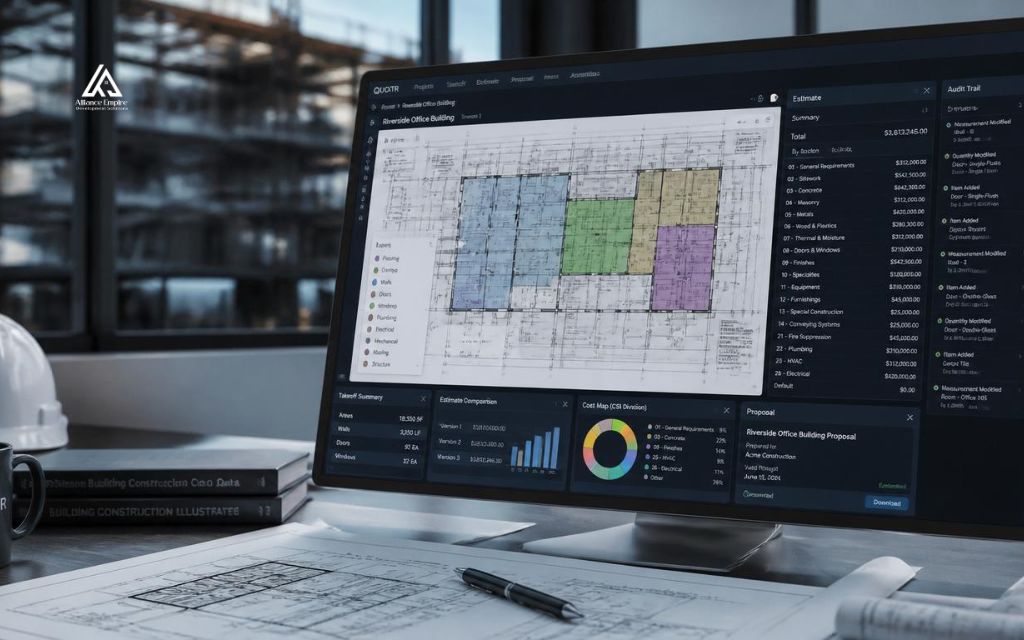
AI estimating software augments an estimator’s process, and current platforms are designed around a human reviewing the output before it goes out the door.
- Data quality dependency: AI estimating software accuracy depends heavily on clean, well-drafted plan sets. Incomplete, low-resolution, or inconsistently labeled drawings reduce the reliability of AI-generated quantities.
- Estimator judgment on pricing and risk: AI can predict costs from historical data, but it does not know a project’s specific site conditions, subcontractor relationships, or market volatility the way an experienced estimator does.
- Quality control before submission: Every platform profiled here, from pure computer vision tools to hybrid human-reviewed services, is built with a review step because AI output is a starting point for a bid rather than a finished product.
- Limitations on unusual or incomplete scopes: AI models trained on standard construction assemblies can struggle with highly custom scopes, unusual site conditions, or drawings that deviate significantly from typical formatting. No AI estimating software currently on the market removes the need for that final human check.
How to choose the right AI estimating software for your team
Whether you are evaluating a specialized AI cost estimator or a full estimating suite, the same buying process applies.
- Match the tool to your project size and trade mix: AI estimating software built for enterprise commercial work will likely be overkill, and overpriced, for a small residential remodeling operation, and vice versa.
- Run a pilot alongside your current process: Test a platform on a handful of real bids in parallel with your existing estimating method before switching over completely.
- Confirm integration compatibility: Verify that a platform connects cleanly with the accounting, project management, and scheduling software your team already depends on.
- Compare pricing models against your bid volume: Per-seat annual licenses, monthly subscriptions, and per-project or per-trade pricing all scale differently, so model total cost at your actual estimating volume rather than list price alone.
- Ask about training and onboarding: Since AI estimating software still requires estimator review and calibration, the quality of a vendor’s onboarding and support directly affects how quickly a team sees real time savings.

Conclusion
AI estimating software has moved from an experiment to a practical part of preconstruction for many contractors, cutting takeoff time and helping teams respond to more bids without adding headcount. The right platform depends on project size, trade mix, and how much of the process a team wants to automate. No platform removes the need for an experienced estimator to review pricing and risk before a bid goes out.
If your team is weighing whether AI estimating software fits your workflow, Alliance EDS is glad to talk it through. As a Denver-based general contracting and construction firm, we deal with these same estimating challenges on our own projects and are happy to share an honest assessment. Call (720) 484-8181 to reach our team today!
Frequently asked questions (FAQs)
What is AI estimating software?
AI estimating software is construction technology that uses computer vision, machine learning, and natural language processing to automate quantity takeoffs, cost predictions, and parts of the bid preparation process for contractors and estimators.
How much does AI estimating software cost?
Pricing varies widely by platform and business model. Some tools charge per user per month starting around 35 to 300 dollars, others charge annual per-seat licenses in the thousands of dollars, and a few fintech-backed platforms offer core estimating tools for free while generating revenue through payment processing.
Is AI estimating software accurate enough to replace manual takeoffs?
Most platforms report automated takeoff accuracy in the 95 to 98 percent range on clean, well-drafted plan sets, but nearly every vendor in this category still recommends a human review step before a bid goes out, since accuracy depends heavily on drawing quality and project complexity.
Can AI estimating software integrate with existing construction management platforms?
Yes. Most established platforms integrate with common construction software such as Procore, QuickBooks, Sage, and Autodesk Construction Cloud, though the depth of integration varies by vendor and should be confirmed before purchase.
What is the difference between AI estimating software and traditional estimating software?
Traditional estimating software still requires an estimator to manually measure quantities from plans and enter them into a spreadsheet or database. AI estimating software automates that measurement step using computer vision, and in some cases also assists with pricing and scope review.